> ## Documentation Index
> Fetch the complete documentation index at: https://fliqr.ai/docs/llms.txt
> Use this file to discover all available pages before exploring further.
# Core concepts in Fliqr AI
> A short map of Fliqr AI — how channels, rules, Flows, AI Agents, Contacts, and Inbox fit together.
Fliqr AI automates conversations across messaging channels. You connect a channel, decide **when** automation should run, then choose **what** runs — a scripted Flow, an AI Agent, or a human in the Inbox. Everything writes back to the same Contact record.
## How the platform fits together
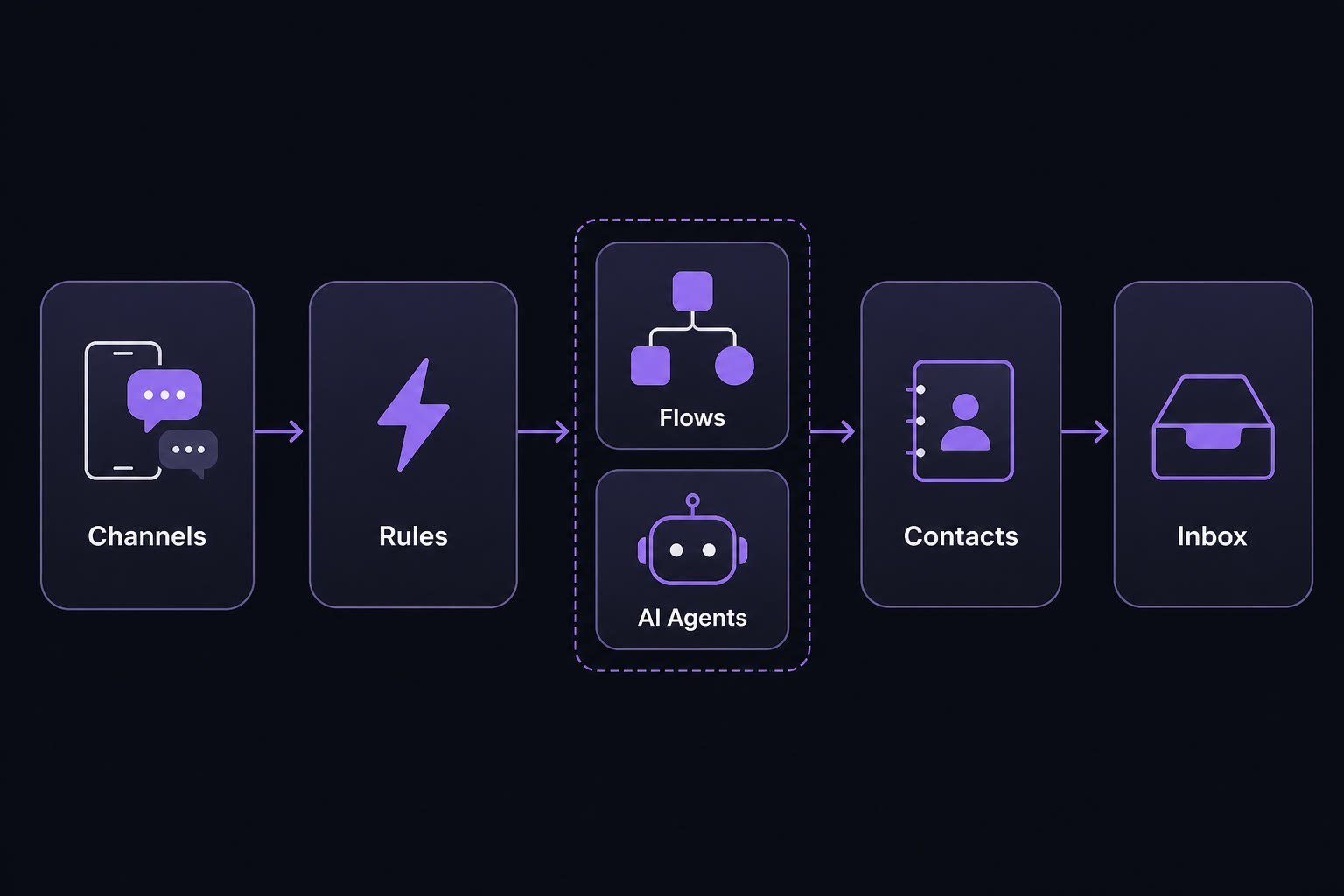 ```mermaid theme={null}
flowchart LR
C[Channels] --> R[Automation Rules]
R --> F[Flows]
R --> A[AI Agents]
F --> P[Contacts]
A --> P
P --> I[Inbox]
I -->|handoff back| F
I -->|handoff back| A
```
## The four building blocks
Learn these in order — each one builds on the last.
| # | Concept | In one sentence |
| - | ------------------------------------- | ----------------------------------------------------------------------------------------------- |
| 1 | [Flows](/docs/core-concepts/flows) | Visual scripts: messages, conditions, delays, and API steps you publish once for every channel. |
| 2 | [AI Agents](/docs/core-concepts/ai-agents) | Generative agents that answer open-ended questions using your knowledge and tools. |
| 3 | [Contacts](/docs/core-concepts/contacts) | People who message you — tags, custom fields, and history shared across channels. |
| 4 | [Inbox](/docs/inbox/overview) | Where your team takes over live chats, assigns work, and sends Flows or templates. |
## What else you will use
| Area | Role |
| --------------------------------------------------- | ----------------------------------------------------------------------------- |
| [Automation Rules](/docs/core-concepts/automation-rules) | Listen for keywords, opt-ins, tags, and webhooks — then start a Flow or Agent |
| [Channels](/docs/channels/whatsapp) | WhatsApp, Instagram, Messenger, Telegram, SMS, Email, Voice, website chat |
| [Pipelines](/docs/core-concepts/pipelines) | Kanban stages for deals and support tickets |
| [Ads](/docs/ads/overview) | Lead Ads into contacts; conversion events back to Meta |
## Suggested path
Keep the diagram in mind as you explore deeper guides.
Open **Building blocks** in the sidebar: Flows → AI Agents → Contacts → Inbox.
Start with [Website Chat](/docs/channels/website-chat) or [WhatsApp](/docs/channels/whatsapp), then add an [Automation Rule](/docs/core-concepts/automation-rules).
Prefer a hands-on start? Jump to the [Quickstart](/docs/get-started/quickstart), then return here when you want the mental model.
```mermaid theme={null}
flowchart LR
C[Channels] --> R[Automation Rules]
R --> F[Flows]
R --> A[AI Agents]
F --> P[Contacts]
A --> P
P --> I[Inbox]
I -->|handoff back| F
I -->|handoff back| A
```
## The four building blocks
Learn these in order — each one builds on the last.
| # | Concept | In one sentence |
| - | ------------------------------------- | ----------------------------------------------------------------------------------------------- |
| 1 | [Flows](/docs/core-concepts/flows) | Visual scripts: messages, conditions, delays, and API steps you publish once for every channel. |
| 2 | [AI Agents](/docs/core-concepts/ai-agents) | Generative agents that answer open-ended questions using your knowledge and tools. |
| 3 | [Contacts](/docs/core-concepts/contacts) | People who message you — tags, custom fields, and history shared across channels. |
| 4 | [Inbox](/docs/inbox/overview) | Where your team takes over live chats, assigns work, and sends Flows or templates. |
## What else you will use
| Area | Role |
| --------------------------------------------------- | ----------------------------------------------------------------------------- |
| [Automation Rules](/docs/core-concepts/automation-rules) | Listen for keywords, opt-ins, tags, and webhooks — then start a Flow or Agent |
| [Channels](/docs/channels/whatsapp) | WhatsApp, Instagram, Messenger, Telegram, SMS, Email, Voice, website chat |
| [Pipelines](/docs/core-concepts/pipelines) | Kanban stages for deals and support tickets |
| [Ads](/docs/ads/overview) | Lead Ads into contacts; conversion events back to Meta |
## Suggested path
Keep the diagram in mind as you explore deeper guides.
Open **Building blocks** in the sidebar: Flows → AI Agents → Contacts → Inbox.
Start with [Website Chat](/docs/channels/website-chat) or [WhatsApp](/docs/channels/whatsapp), then add an [Automation Rule](/docs/core-concepts/automation-rules).
Prefer a hands-on start? Jump to the [Quickstart](/docs/get-started/quickstart), then return here when you want the mental model.